|
Bugzilla – Bug 439 |
Plugin Utilities Debugging - Test Matching Cubes |
Last modified: 2014-06-16 15:34:24 CDT |
| ⚠ |
NOTICE! This is a static HTML version of a legacy Fiji BugZilla bug. The Fiji project now uses GitHub Issues for issue tracking. Please file all new issues there. |
| Plugin Utilities Debugging - Test Matching Cubes | |
|
|
|
||||||||||||||||||||||||||||||||||||||||||
|
|
||||||||||||||||||||||||||||||||||||||||||||
|
|||||
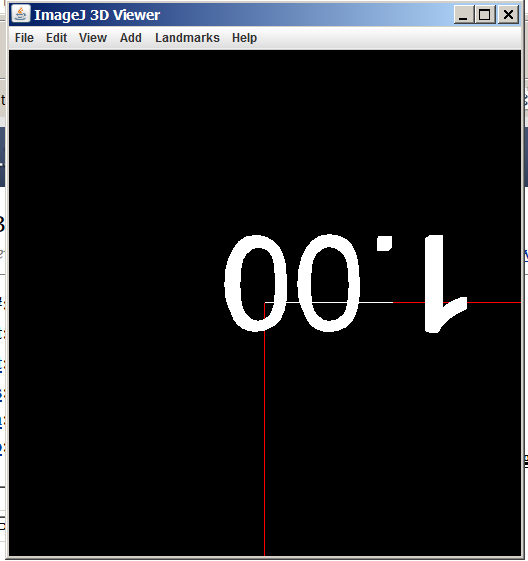
Created attachment 64 3D viewer Screen Shot during plugin | debug | utilities | cubes 3D viewer window screen shot attached.Rob replied back (thanks Rob!) with the following: Don't even remember this one :) and I don't know that this is the same machine that caused the original report. Tested anyway. Reproducing my steps on my desktop Windows machine using a just-updated FIJI IJ2-x64 (6-16-2014) -- The 3d viewer window still opens -- I no longer see a 1.0 anywhere within the window -- I still (?) do see an exception: (Fiji Is Just) ImageJ 2.0.0-rc-4/1.49b; Java 1.6.0_24 [64-bit]; Windows 7 6.1; 23MB of 6075MB (<1%) javax.media.j3d.CapabilityNotSetException: Group: no capability to detach BranchGroup at javax.media.j3d.Group.removeChild(Group.java:225) at MC_Test.displayCase(MC_Test.java:64) at MC_Test.run(MC_Test.java:42) at ij.IJ.runUserPlugIn(IJ.java:201) at ij.IJ.runPlugIn(IJ.java:165) at ij.Executer.runCommand(Executer.java:131) at ij.Executer.run(Executer.java:64) at java.lang.Thread.run(Thread.java:662) The java on my system is way beyond 1.6.0_24, but of course IJ2 is probably shipping with a build in JRE (I'm guessing). I'm a little clueless as to what that might mean for Java3D version. From the Java icon in Windows system" system 1.8 1.8.0_05 http://java.sun.com/products/autodl/j2se C:\Program Files\Java\jre8\bin\javaw.exe true user 1.8 1.8.0_05 http://java.sun.com/products/autodl/j2se C:\Program Files\Java\jre8\bin\javaw.exe true 1.7 1.7.0_55 http://java.sun.com/products/autodl/j2se C:\Program Files\Java\jre7\bin\javaw.exe true This machine also has a folder: jdk1.8.0_05 Not sure its important, but the machine has a Nvidia graphics card with fairly recent drivers: Name NVIDIA Quadro K2000 PNP Device ID PCI\VEN_10DE&DEV_0FFE&SUBSYS_094C10DE&REV_A1\4&15DC9214&0&0008 Adapter Type Quadro K2000, NVIDIA compatible Adapter Description NVIDIA Quadro K2000 Adapter RAM (2,147,483,648) bytes Installed Drivers nvd3dumx.dll,nvwgf2umx.dll,nvwgf2umx.dll,nvd3dum,nvwgf2um,nvwgf2um Driver Version 9.18.13.3311 If you have additional questions, I'll try to answer.